Change Lockscreen Language
Issue
Whenever the Windows Language Settings are changed, there is a Chance that the Lock Screen Languages are not updated.
This is common (and expected) behavior as this requires manual intervention.
Solution
- Open Control Panel - Time and Region - Region
- Go to Administrative - Copy Settings
- Check Checkboxes "Lockscreen..." and "New User..."
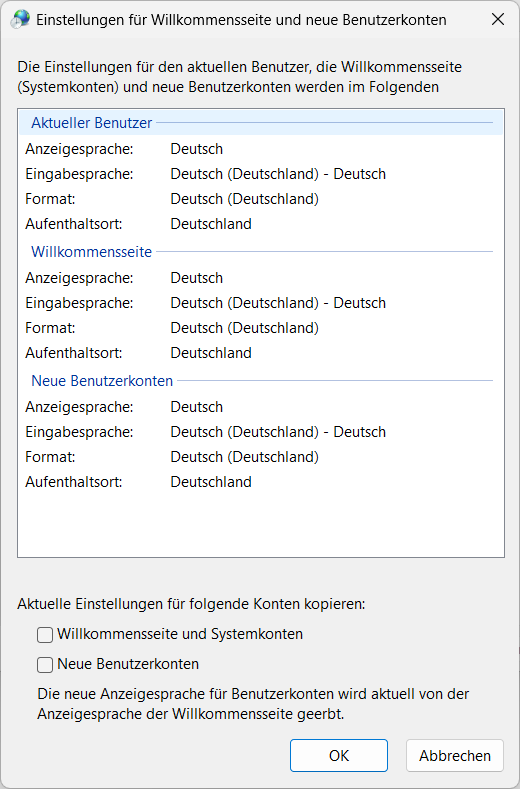
This will copy the current Language Settings to the Lockscreen and set it as Default for new User Accounts