Virtual Server Reverse Proxy
What will be done
- Using a FortiGate to act as a Reverse Proxy, forwarding
domain.tldtoip:port
Prerequesits
- Static IP
- Port 443 (TCP) for HTTPS open
In this Example, Forgejo will be used as Application
1. Creating a Virtual Server
- Go to Policy & Objects - Virtual Servers and Click Create New
- Set a Name
1.2 Network Configuration
- Set Type to HTTPS
- Set Interface to your WAN Interface
- Set Virtual server IP to your Public IP (or TN IP if behind a NAT Router)
- Set Virtual server port to 443
- Set Load balancing method to HTTP Host
- Set Persistence to HTTP Cookie
- Enable Preserve client IP
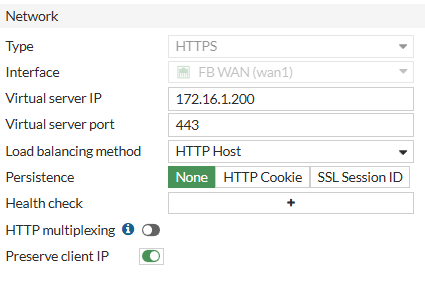
You can add Health Checks here for your internal Servers if wanted
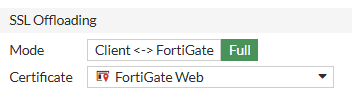
1.3 SSL Offloading
As the FortiGate will be acting as Reverse Proxy in this Situation, SSL Encryption needs to be done at the Firewall. Select/Upload your SSL Certificate here and Set Mode to Full
1.4 Real Servers
For each public Domain, create a Real Server here
Example: git.domain.tld
- Click Create New
- Set IPv4 Address to your internal Server IP Address
- Set Port to your internal Server Port
- Set Max connections to 0 for unlimited Connections or set a fixed limit
- Set HTTP host to your public Domain
- Set Mode to Active

2. Creating Firewall Policy
We need a Proxy-based Policy that allows WAN Access to the created Virtual Server
